Case study 04 / 05
Course project · DEI 613
Burlington Library Wayfinding
I watched how visitors move through Burlington Central Library’s three floors, then designed a mobile map, opened from QR codes, for the people the signage doesn’t serve well: newcomers, older adults and visitors with low vision.
- My role
- UX Researcher & Mobile Interface Designer
- Team
- Solo project
- Timeline
- 3 weeks, 2025
- Platform
- Mobile web, opened from QR codes
- Tools
- Figma, field observation, GPT-5
At a glance
The problem
The library’s directory is small and easy to miss, most signs hang from the ceiling, and none have braille. Newcomers and visitors with low vision end up relying on staff to find their way.
My part
I observed visitors on all three floors, defined three user groups, sketched, built a medium-fidelity prototype, and used GPT-5 to review it for accessibility before making five sets of changes.
What happened
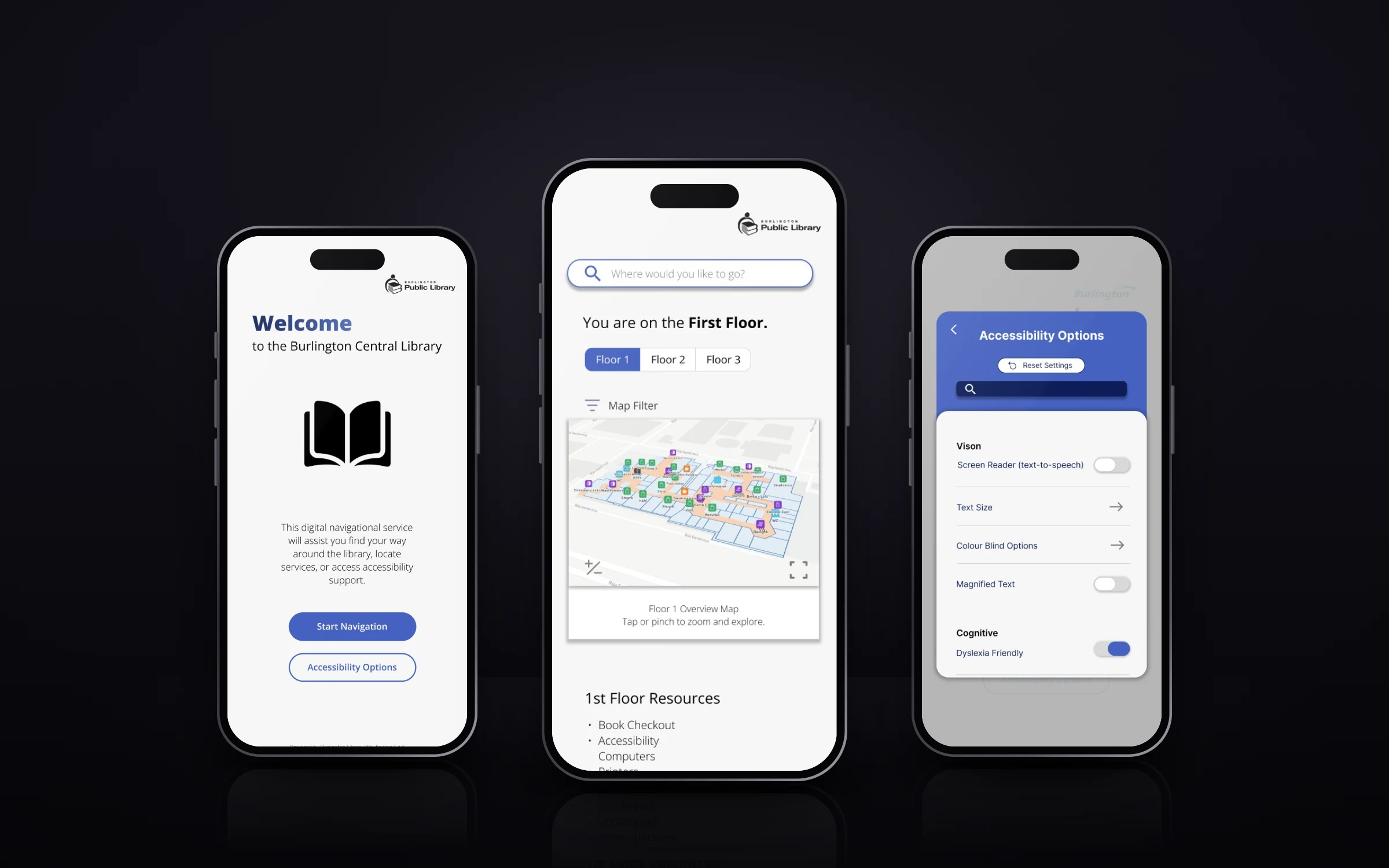
A prototype opened from QR codes at entrances, elevators and stairs, with floor maps, a “you are here” marker, text-to-speech, zoom text and a dyslexia-friendly mode. It hasn’t been tested with library visitors yet.
Problem: Most of the signs are above your head.
Regular visitors move through Burlington Central Library with confidence. First-time visitors pause, scan the room, miss the directory and ask staff. For older adults and people with low vision, signage that’s small, visual-only and mounted on the ceiling makes it harder still.
The library serves everyone: students, older adults, children, families, newcomers and people using accessible technology. That made it a good place to study how a public space helps (or doesn’t help) people find their way.
How might we
…make public library navigation more accessible, intuitive and independent for visitors with different abilities, confidence levels and familiarity with the space?
Approach: I watched how people found their way around.
I went back to my earlier wayfinding and space audit of the library and observed visitors on all three floors. I watched how people came in and found where they were going, used signs and directories, asked staff for help, approached the checkout kiosks, and re-oriented after changing floors.
- First floor
- A printed directory near the entrance, small and easy to miss
- Ceiling signs that only help if you look up
- No braille on any visible signage
- Self-checkout kiosks by the entrance, and staff answering a lot of questions
- A digital event screen few people stopped to read
- A zoom-text computer near the elevator
- Many visitors took the elevator instead of the stairs
- Second floor
- A help desk at the top of the stairs, with tech help available
- A children’s area toward the back
- People asking staff instead of reading signs
- Third floor
- Quieter: desks, computers and individual study
- The only floor without a visible help desk
- A makerspace at the back
- Visitors were more independent, with fewer places to get help
Insights: The signs gave directions. Staff gave reassurance.
Visitors wanted to know they were on the right floor and heading the right way. When the space didn’t tell them, staff did.
The directory was easy to miss.
It was small and near the entrance. Newcomers were more likely to stop, scan the space or ask for help.
Navigation relied on sight.
Signs were visual-only, mounted on the ceiling and had no braille or tactile support, which limits independence for people with low vision.
Digital systems weren’t equally accessible.
Self-checkout worked for confident users but could intimidate older adults or newcomers, and it had no text-to-speech.
Staff filled every gap.
When signs, directories or technology didn’t give people enough confidence, they went to a person.
Three visitor groups
The newcomer
- Goal
- Learn how the library is organized and use it independently.
- Pain points
- The entrance directory is easy to miss, hanging signs assume you know the layout, and every floor means re-orienting.
- Needs
- Eye-level cues, a “you are here” marker, floor-by-floor maps and visible help points.
The returning visitor
- Goal
- Borrow books and use computers without disrupting old habits.
- Pain points
- New digital checkout feels intimidating and small, low-contrast signs are hard to read, so they ask staff instead.
- Needs
- Larger high-contrast signs, simple step-by-step guidance and easy access to a person.
The visitor with low vision
- Goal
- Get to quiet study space and technology that supports their vision.
- Pain points
- No braille or tactile signs, hanging signs are hard to see, and accessible workstations aren’t marked on every floor.
- Needs
- Braille and tactile cues, text-to-speech, zoom text, high contrast and accessibility info for each floor.
Design: I started with AR directions. I ended with a QR code and a map.
My first concept used augmented reality: point your phone and follow directions through the camera. Indoor AR mapping has real technical and accuracy limits, so I pivoted to something more practical that more visitors could use: a mobile directory and map, supported by an AI assistant.
Visitors scan a QR code at an entrance, elevator or staircase. It opens straight to a map that shows where they are and what’s nearby.
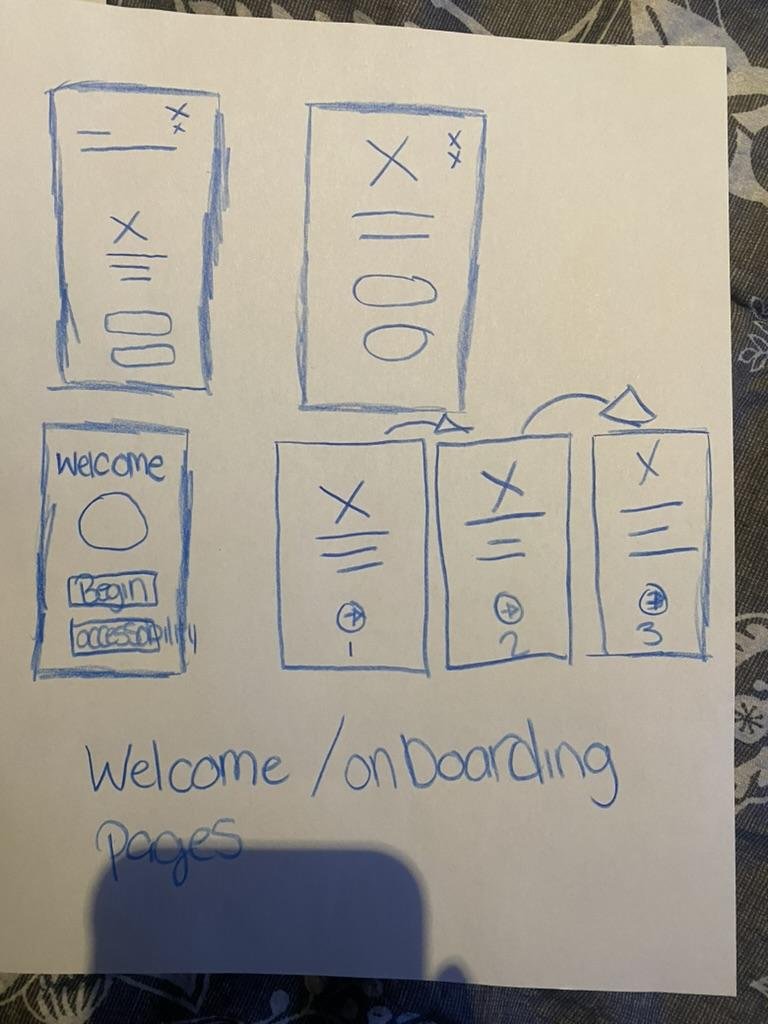
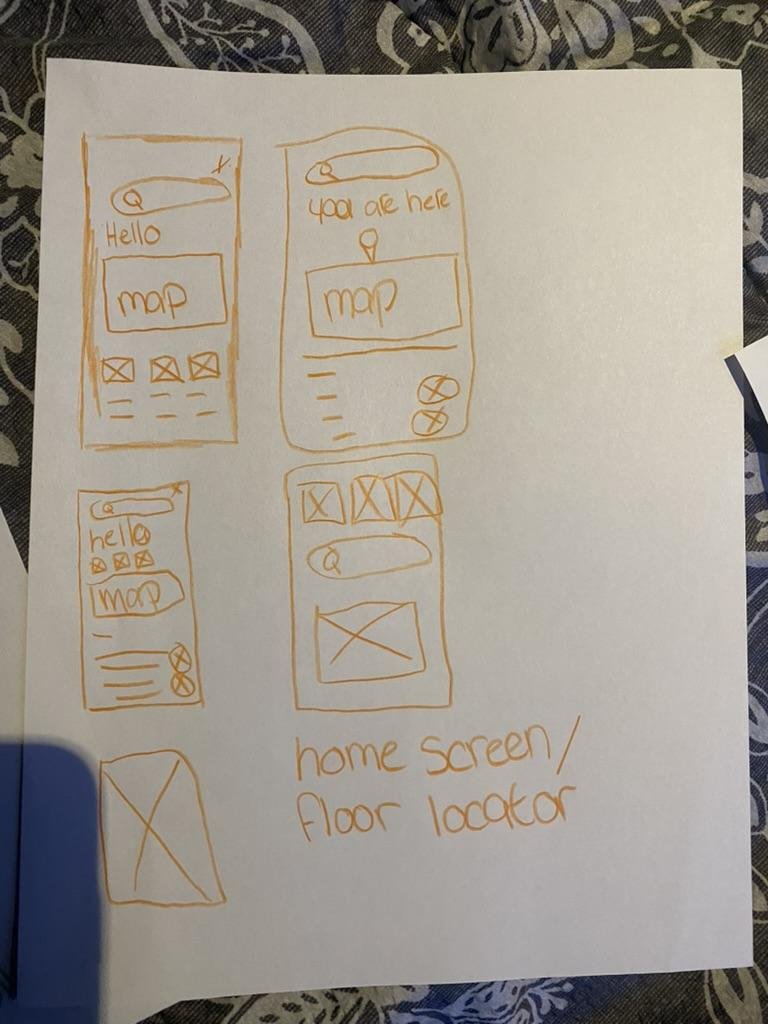
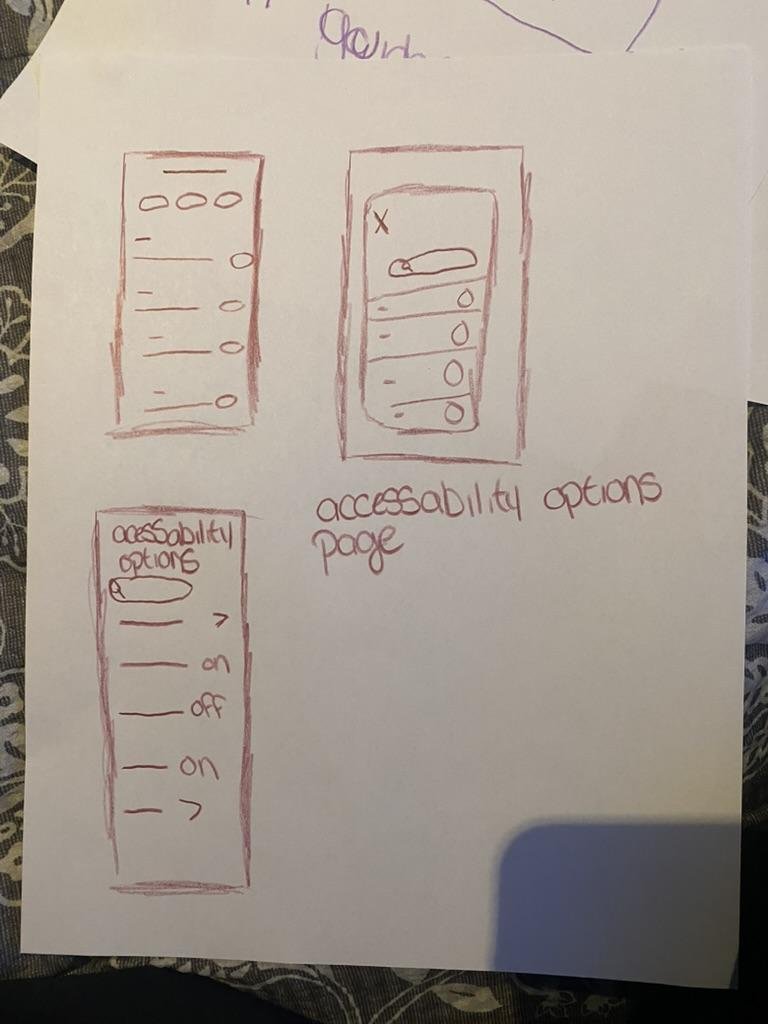
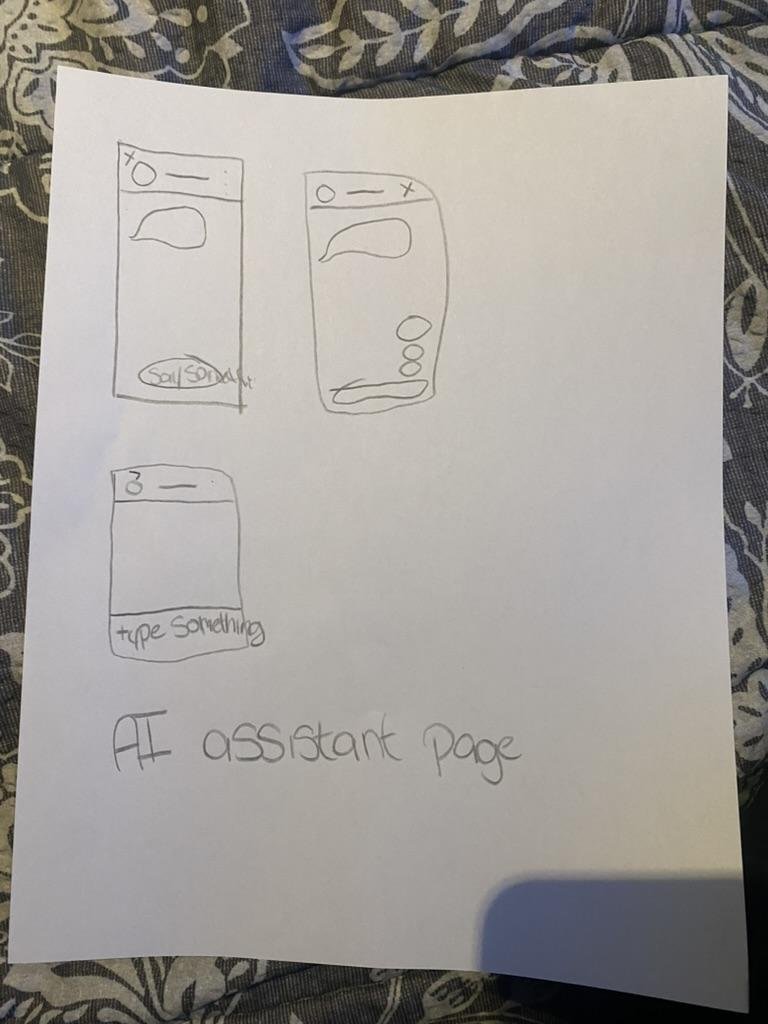
Early sketches of AR guidance, floor maps, onboarding, accessibility settings and the AI assistant.
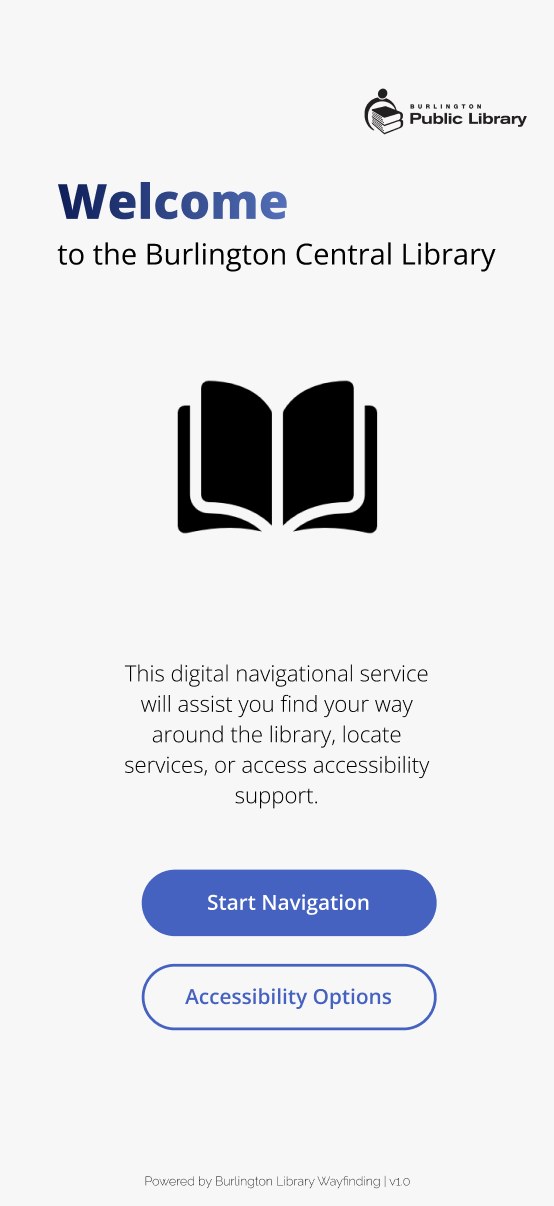
Welcome: start navigating right away.
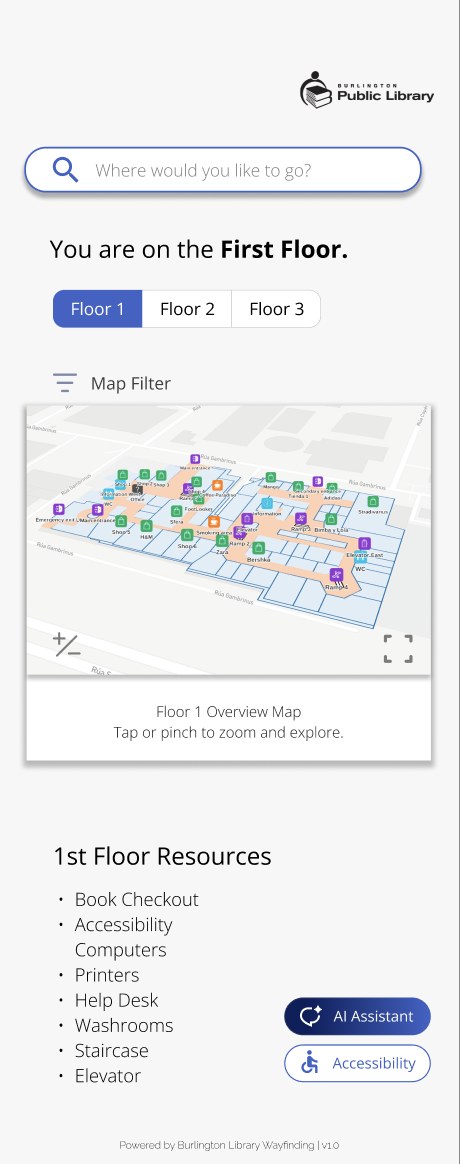
Floors: pick where you are or where you’re going.
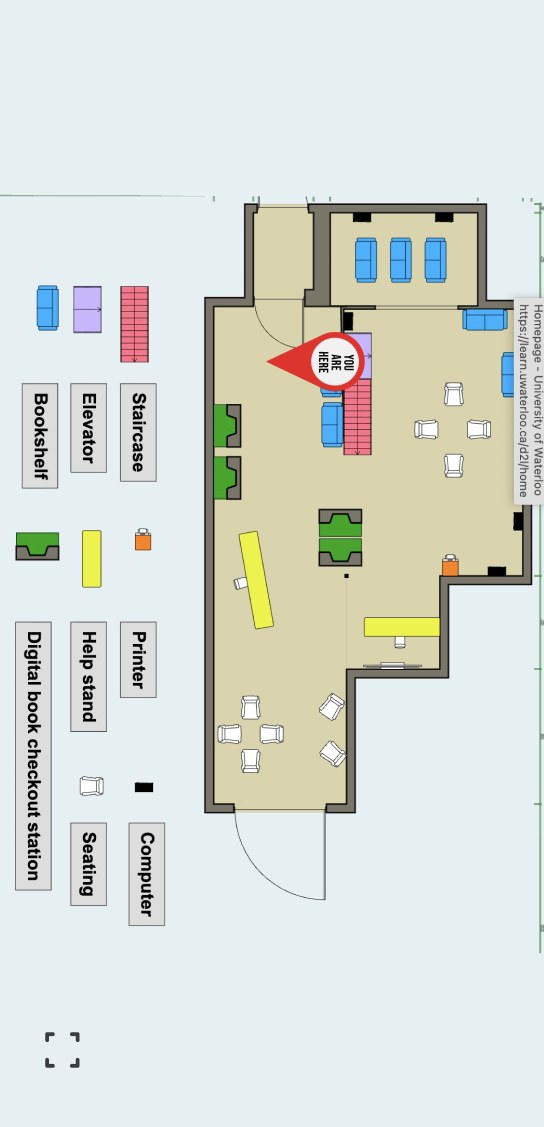
Map: “you are here”, labels and zoom buttons.
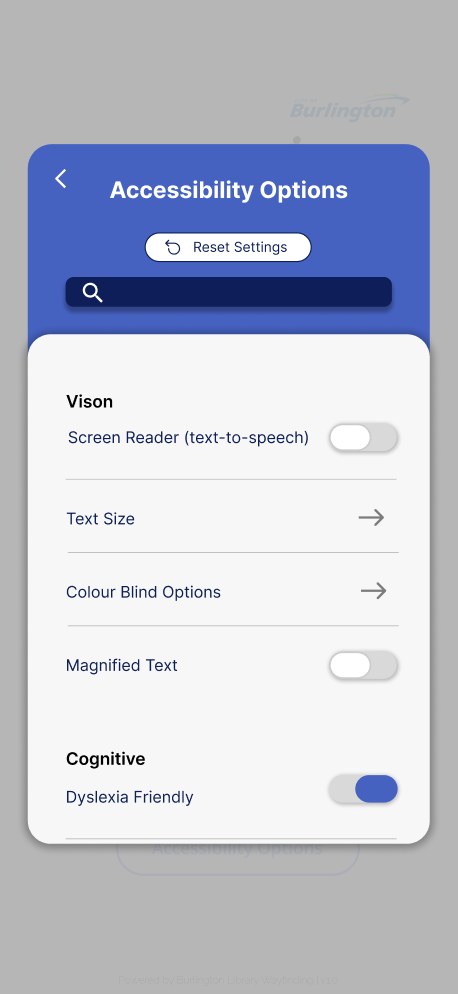
Accessibility: text-to-speech, zoom text, dyslexia-friendly and colour-blind modes.
Reviewing it with GPT-5 before people
Once the medium-fidelity prototype was done, I asked GPT-5 to act as a user and critique it for accessibility, usability, visual clarity and inclusivity. I checked its suggestions against my field notes and design goals before changing anything.
- What held up
- A clear structure, predictable navigation, consistent icons, a calm palette and accessibility options from the start.
- What needed work
- Small text, light grey body copy, map zones that relied on colour, no visible focus states, pinch-to-zoom for motor-impaired users, dense screens and crowded prompt buttons.
What I changed
- Readability
- Text up to at least 16pt, darker body copy and stronger contrast.
- The map
- Plus and minus zoom buttons instead of relying on pinch, and a recommendation to add labels, icons or patterns to colour-coded zones.
- The AI assistant
- More space between suggested prompts, so the page is easier to scan.
- Clutter
- Extra branding removed from the top corner, keeping only the library logo.
- Accessibility settings
- Text-to-speech, zoom text, dyslexia-friendly and colour-blind modes, made easier to find.
Outcome: A prototype for visual, motor and cognitive needs.
The result is a medium-fidelity prototype, not a launched tool. It hasn’t been tested with library visitors. Here’s what it’s designed to support:
- Visual
- Text-to-speech, zoom text, larger and darker text, high contrast, colour-blind support and clearer map labels.
- Motor
- Large buttons, simple layouts, plus/minus zoom and less reliance on pinch gestures.
- Cognitive
- Floor-by-floor navigation, clear icons, a dyslexia-friendly mode, less text and well-spaced options.
- Wayfinding
- “You are here” cues, QR codes at decision points, floor maps, resource categories and clear ways to get help.
Reflection: Wayfinding is about confidence as much as directions.
This project helped me see that wayfinding isn’t only about getting people from A to B. It’s about helping them feel confident, included and independent in a public space.
I also learned how to use AI critically. GPT-5 caught accessibility issues I might have missed, but it simulated users, it didn’t replace them.
What’s missing, and what I’d do next
- I observed one library, and didn’t run formal usability tests with visitors.
- Test with older adults, newcomers and people with low vision, and interview library staff about the questions they hear most.
- Pair the app with better physical signage: eye-level signs, braille and tactile cues.
- Plan where QR codes go (entrances, elevators, stairs, washrooms, service desks) and test indoor location in the real building.
- Check the prototype with screen readers, keyboard navigation, voice control and WCAG contrast checks.